teachucomp
Photoshop Quick Reference Guide
Photoshop Quick Reference Guide
Couldn't load pickup availability
| Subject: | Photoshop |
|---|---|
| Level: | Introductory |
| Topics Covered: | 52 |
| Pages: | 4 |
| Dimensions: | 11 x 17" - Folded |
| Availability: | Printed & Laminated |
| ISBN: | 978-1-958446-15-7 |
Product Description:
Designed with the busy professional in mind, this 4-page quick reference guide provides step-by-step instructions in Adobe Photoshop. When you need an answer fast, you will find it right at your fingertips with this Adobe Photoshop Quick Reference Guide. Clear and easy-to-use, quick reference cards are perfect for individuals, businesses and as supplemental training materials. Includes keyboard shortcuts.
Topics Covered:
The Photoshop Environment
The Photoshop Environment
File Management Basics
Opening and Closing Files
Creating New Files
Using Artboards
Saving Files
Photoshop Basics
Using the Tools Panel
Using Other Panels
Adjusting Image Magnification
Moving the Canvas
Moving Part of an Image
Undoing Mistakes
Adding Images to a File
Using Rulers, Guides, and Grids
Color Basics
Setting Foreground and Background Colors
Setting Color with the Eyedropper
Changing an Image's Color Mode
Layers
Understanding Layers
Managing Layers
Creating Layer Groups
Linking Layers
Locking Layers
Moving Layer Content
Changing Layer Opacity
Manipulating Images
Changing the Canvas Size
Resizing an Image
Resizing One Element in a Document
Cropping an Image
Straightening an Image
Flipping and Rotating
Making Selections
Selection Basics
Rectangular and Elliptical Selections
Making Freehand Selections
Making Polygonal Selections
Using the Magnetic Lasso Tool
Selecting with the Brush Tool
Using the Quick Selection Tool
Refining Selections
Text
Adding Text
Editing Existing Text
Warping Text
Rotating, Skewing, Scaling Text
Creating a Type Selection Mask
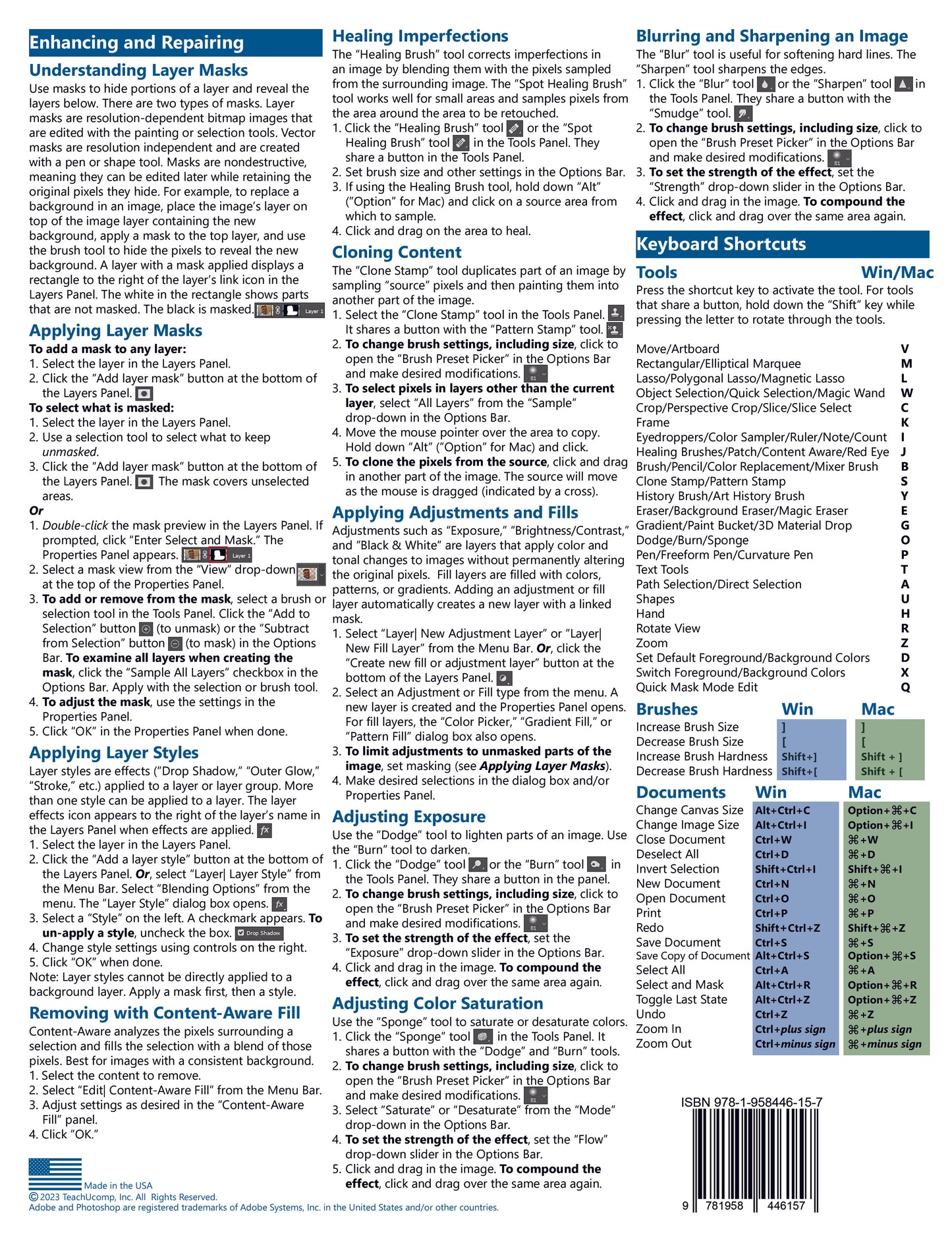
Enhancing and Repairing
Understanding Layer Masks
Applying Layer Masks
Applying Layer Styles
Removing Content with Content-Aware Fill
Healing Imperfections
Cloning Content
Applying Adjustments and Fills
Adjusting Exposure
Adjusting Color Saturation
Blurring and Sharpening an Image
Keyboard Shortcuts
Tools
Brushes
Documents