teachucomp
Microsoft Office for iPad Quick Reference Guide
Microsoft Office for iPad Quick Reference Guide
Couldn't load pickup availability
[table type="table-striped"]
| Subject: | Excel, PowerPoint, Word |
|---|---|
| Version: | Office for iPad |
| Level: | Introductory |
| Topics Covered: | 31 |
| Pages: | 2 |
| Dimensions: | 8.5 x 11" |
| Availability: | Printed & Laminated |
| ISBN: | 978-1-941854-25-9 |
Product Description:
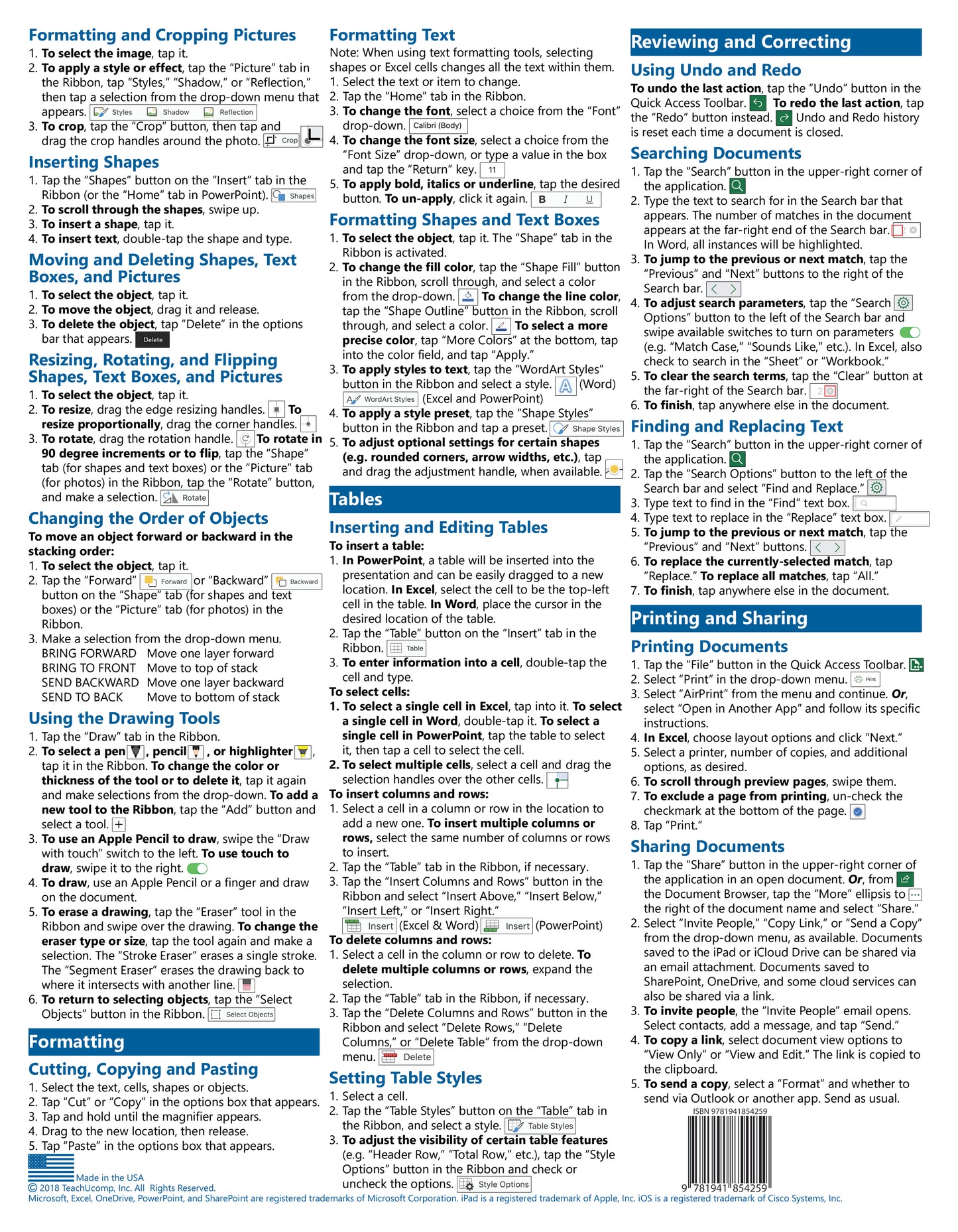
New to Microsoft Office for iPad? Designed with the busy professional in mind, this two-page quick reference guide provides step-by-step instructions in the shared, basic features of Microsoft Excel, Word and PowerPoint for iPad. When you need an answer fast, you will find it right at your fingertips. Clear and easy-to-use, quick reference cards are perfect for individuals, businesses and as supplemental training materials. With 31 topics covered, this guide is ideal for someone new to Microsoft Office for iPad.
Topics Covered:
Interface Terms
Understanding the Start Screen, Document Browser, and the Ribbon
File Management
Creating New Documents
Opening Saved Documents
Opening Office Documents from an Email in the Mail App
Saving New Documents
Saving Changes Made to Documents
Saving Copies of Documents
Moving Documents to the Cloud
Restoring to a Previous Version
Viewing Document Properties
Deleting Documents
Text, Pictures, Shapes, and Objects
Using the Keyboard and Inserting Text
Inserting a Text Box
Selecting Text
Inserting Pictures from the Photos App
Formatting and Cropping Pictures
Inserting Shapes
Moving and Deleting Shapes, Text Boxes, and Pictures
Resizing, Rotating, and Flipping Shapes, Text Boxes, and Pictures
Changing the Order of Objects
Using the Drawing Tools
Formatting
Cutting, Copying, and Pasting
Formatting Text
Formatting Shapes and Text Boxes
Tables
Inserting and Editing Tables
Setting Table Styles
Reviewing and Correcting
Using Undo and Redo
Searching Documents
Finding and Replacing Text
Printing and Sharing
Printing Documents
Sharing Documents